Set Your SLA Policy
You've seen your findings — now put deadlines on them. In this step you'll tune the remediation SLA per severity and learn what at risk and breached mean, so the dashboard's SLA strip reflects commitments you actually stand behind.
QuantAssure runs remediation clocks on every open finding — keyed to the AI-adjusted severity, not the scanner's rating. A finding reclassified from critical to low moves from a 1-day deadline to a 90-day one, automatically, with the change audit-logged.
Configuring Your SLA Policy
Organization → SLA Policy:
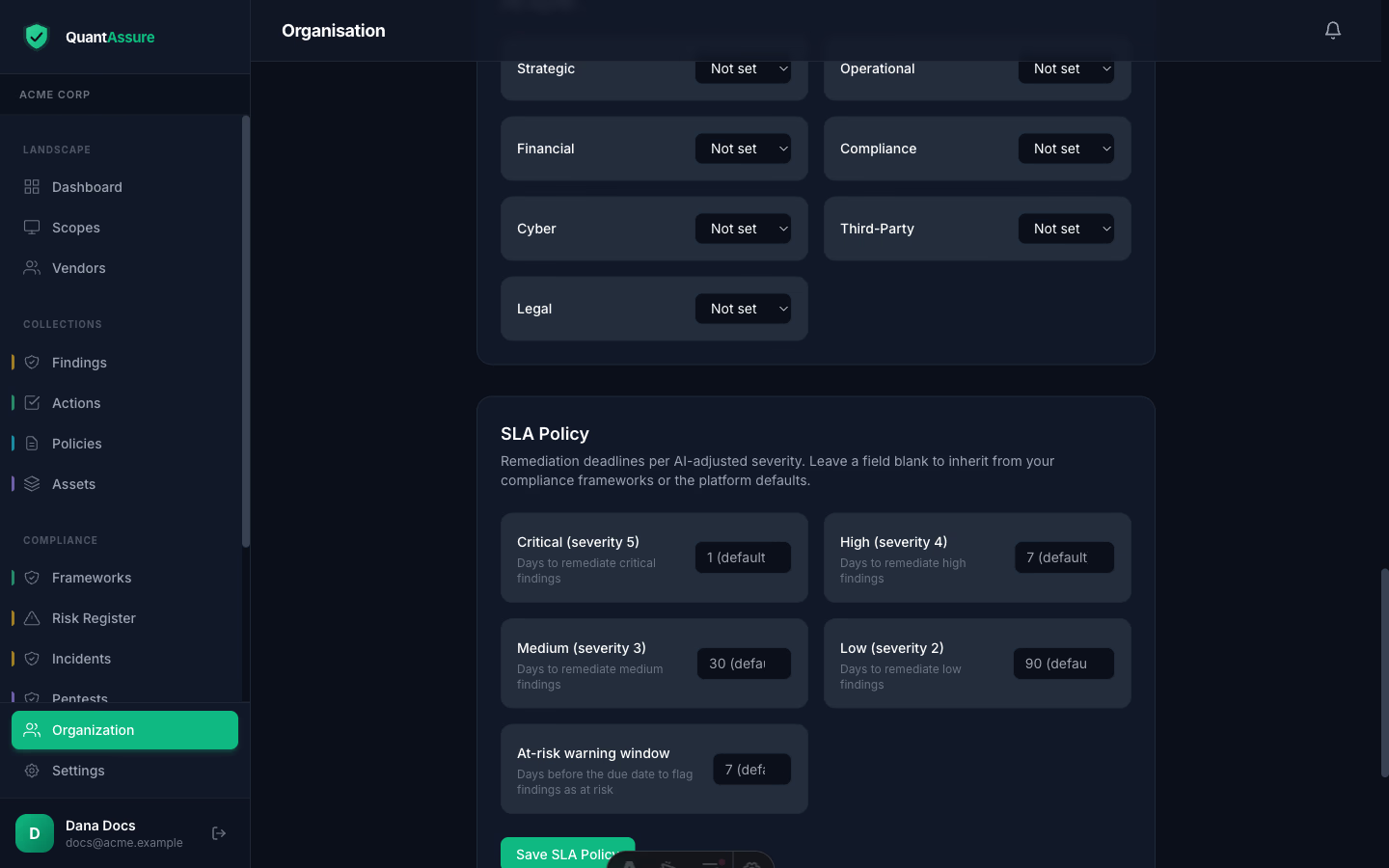
Set remediation days per severity. Fields left blank inherit — first from the strictest of your enabled compliance frameworks' SLAs, then from the platform defaults (critical 1 day, high 7, medium 30, low 90). The placeholder shows the inherited value and its source. The at-risk warning window (default 7 days) controls how early a finding is flagged before its deadline.
Where SLA State Shows Up
- Dashboard strip — breached / at risk / on track counts across your open findings, each linking to the filtered list
- Findings list — red (
SLA 3d over) and amber (SLA 2d left) chips per row, an SLA filter, and a "SLA Due (Soonest)" sort
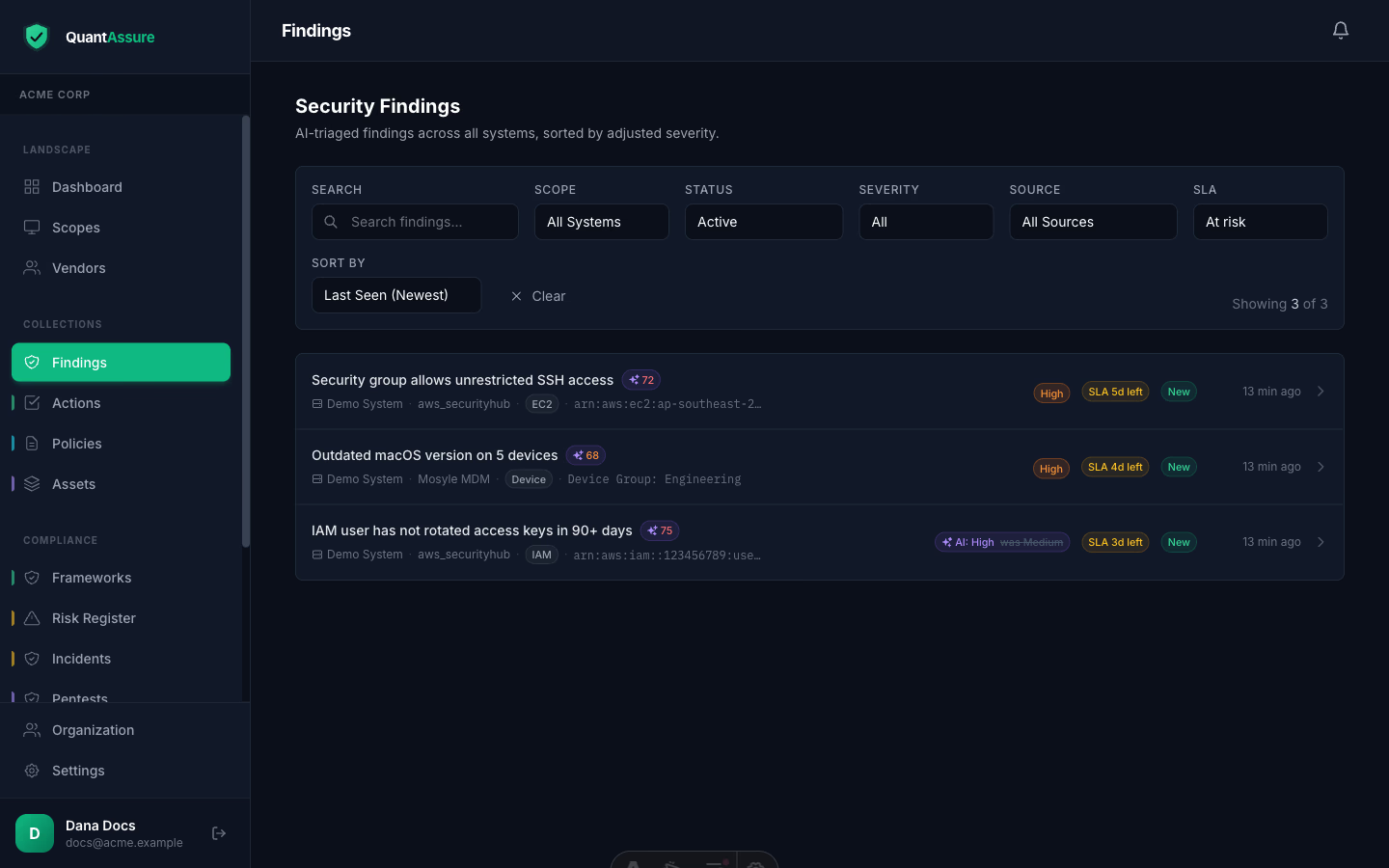
- Notifications — when a finding enters the at-risk window, and again if it breaches, org owners and admins are notified through your configured channels (see Stay Informed). Each state fires once — no repeat noise from the scheduler.
- Evidence — the SLA Compliance report exports the open-findings SLA snapshot plus your resolution performance (met/missed, compliance rate by severity) with the policy yardstick printed for the assessor.
Why AI-Adjusted?
Running SLA clocks on raw severities forces a choice between missing real deadlines and drowning in false urgency: 400 "critical" scanner findings mean 400 one-day clocks. Keying the clocks to AI-adjusted severity focuses your response time where the risk actually is — and the audit trail (original severity, adjusted severity, reasoning, SLA consequence) defends every deadline you didn't treat as critical.
Next step → Stay informed — pick the channels that alert you when a finding goes at-risk or breaches, and set up the email digest.