Your First Audit Pack
This is where onboarding pays off. In this step you'll generate the two flagship audit reports — the AI Decision Audit Trail and SLA Compliance — turning everything the platform has collected and decided so far into evidence your auditor can hold.
Reports are point-in-time evidence exports. Generate one for a period; download it as PDF, CSV, or JSON — the output format is chosen at download time, so one generated report serves all three.
Generating a Report
Reports → New Report:
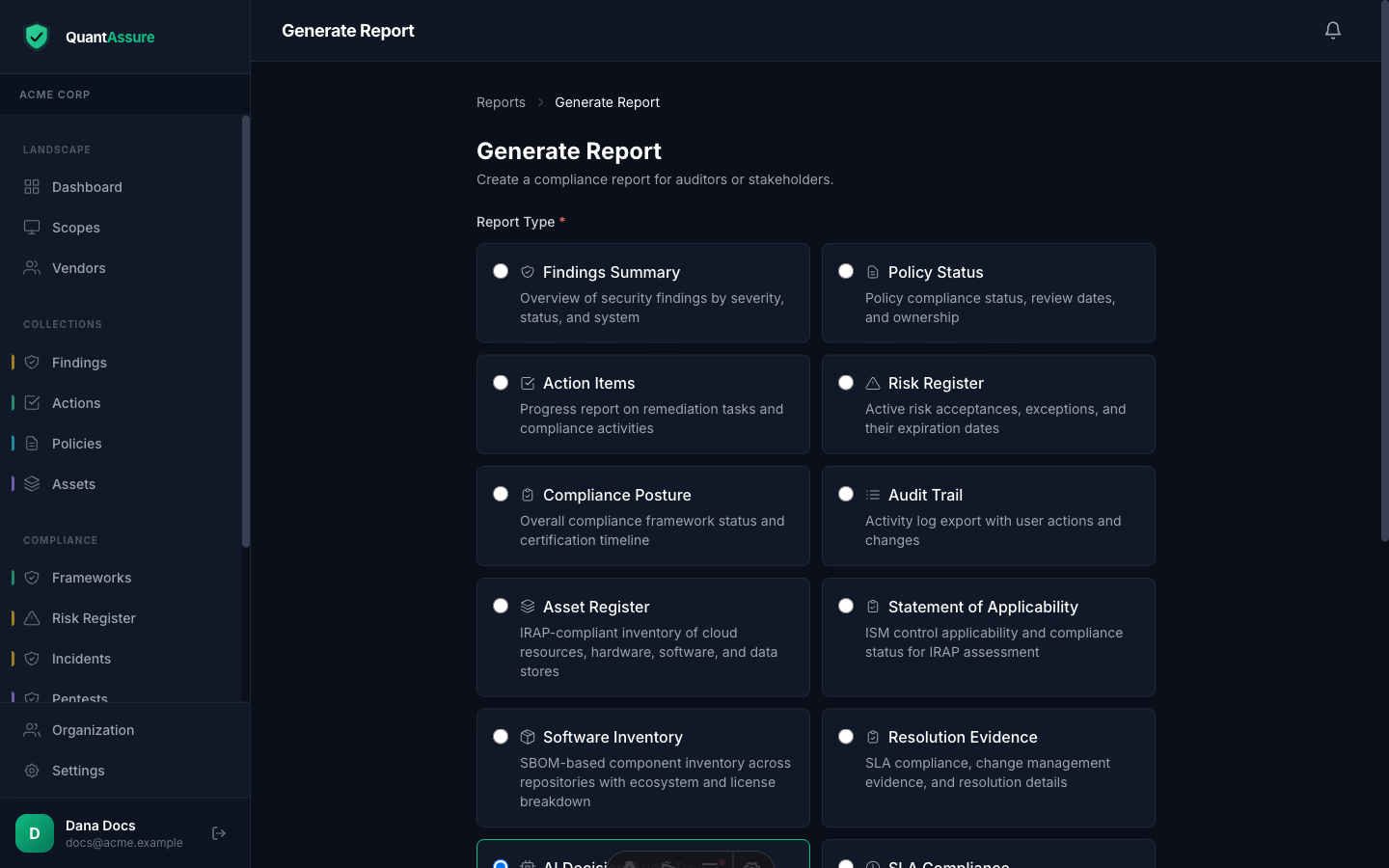
Pick a type, name it, choose the period (dates are inclusive — a period ending 2 July includes all of 2 July, in your local time), optionally filter to specific systems, and generate. The report stores its data at generation time, so the evidence is stable even as your live data changes.
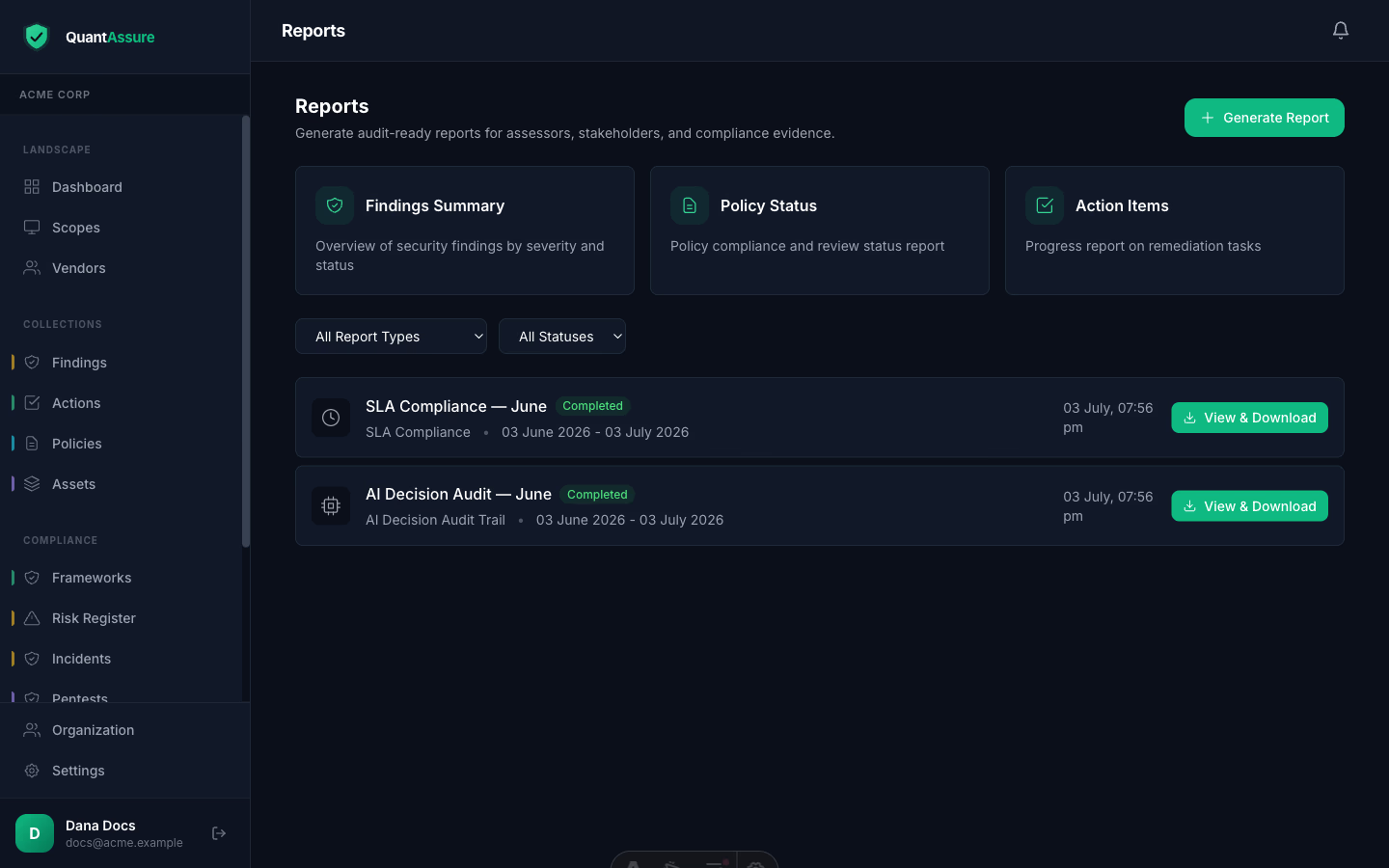
The Two Flagship Audit Reports
Generate these two first — together they are your first audit pack.
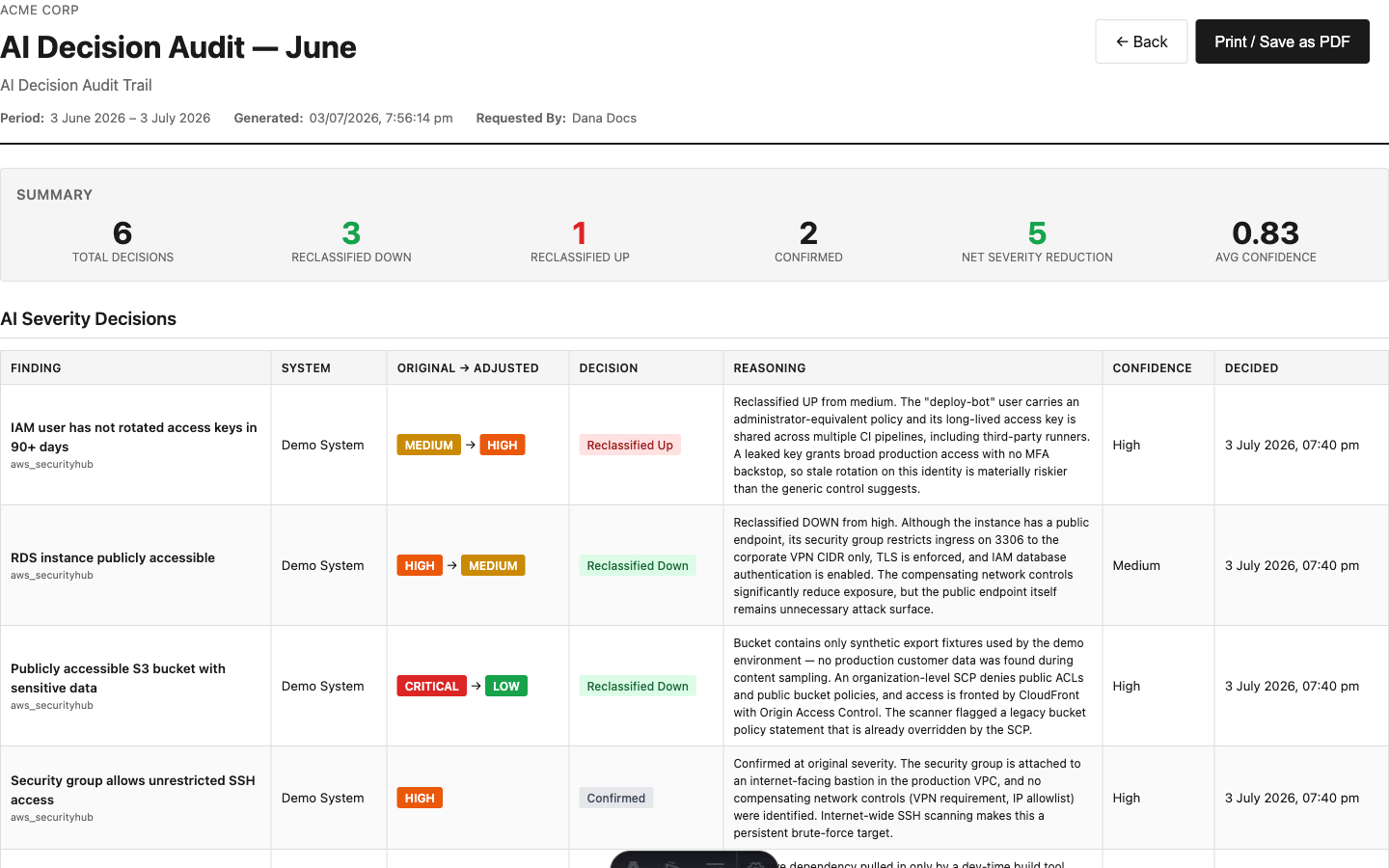
AI Decision Audit Trail — the export that makes AI triage defensible. Every decision, including the ones where the AI confirmed the scanner's severity, with the reasoning text in full:
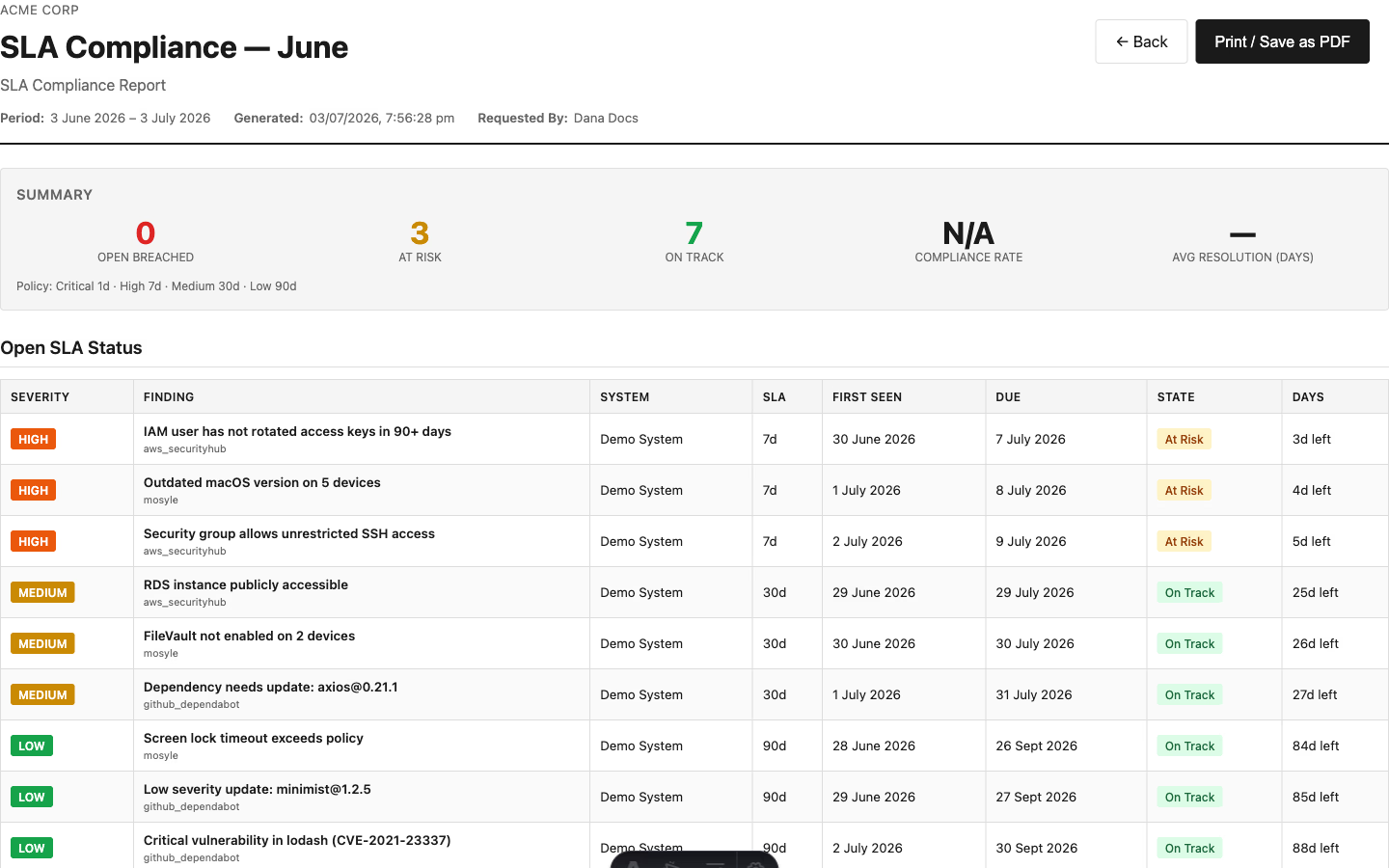
SLA Compliance — your response-time performance against the policy, breached items ranked most-overdue first:
PDF suits auditors and management; CSV imports into other tools; JSON is for programmatic use. All three come from the same generated report.
All Report Types
| Report | What it evidences |
|---|---|
| AI Decision Audit Trail | Every AI severity decision in the period — original vs adjusted, decision type (reclassified up/down/confirmed), reasoning, confidence, run provenance |
| SLA Compliance | Open-findings SLA snapshot + resolution performance: met/missed per finding, compliance rate overall and per severity, with the SLA policy printed |
| Findings Summary | Finding counts and detail for the period |
| Compliance Posture / SOA | Control statuses; Statement of Applicability export |
| Policy Status / Policy Acknowledgments | Policy review state; who acknowledged what, when |
| Risk Register / Asset Register / Software Inventory / Audit Trail / Action Items | The corresponding registers as period evidence |
You're onboarded. From here, the day-to-day work lives in Action Items (remediation tracking), Policies & Campaigns, Compliance, and Audit Logs.