Stay Informed
Your SLA clocks are running — now make sure you hear about them without having to watch the dashboard. In this step you'll enable the notification channels your team actually reads and turn on the email digest.
Organization → Notifications:
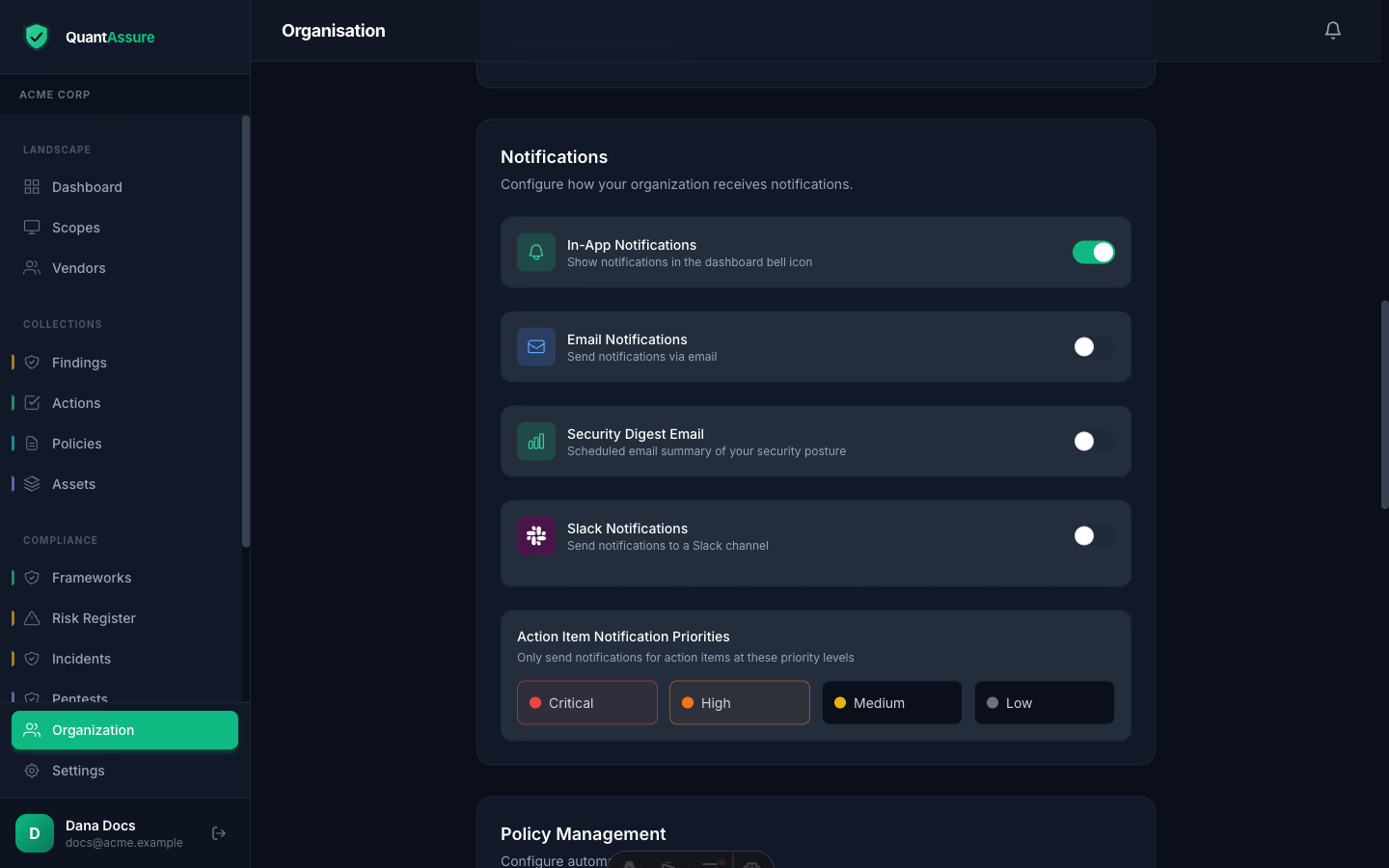
Channels
Enable the channels your team actually watches:
- In-app — the notification bell, always on
- Email — via your configured mail integration
- Slack — incoming webhook URL
Events that notify: policy publications and acknowledgment requests, campaign assignments and reminders, action item creation, and SLA at-risk warnings and breaches (owners/admins only — an accountability signal, not broadcast noise).
The Email Digest
A scheduled summary of your security posture — health score, critical/high counts (AI-adjusted), SLA breached/at-risk tallies, overdue actions, and policies due for review — delivered daily or weekly (Monday). Enable it, pick the frequency, and optionally set an explicit recipient list; otherwise it goes to org owners and admins.
SLA alerts fire once per state change — at-risk, then breach — so the digest is the place to watch trends without alert fatigue. See SLA Policies for how the deadlines are set.
Next step → Your first audit pack — turn everything you've set up into evidence: generate the AI Decision Audit Trail and SLA Compliance reports.